Timer-to-close is the setting that shuts a parkade or dock door on its own after a set delay. It saves heat and stops tailgating, but only if it is set up the way the manufacturer requires. Here is what the operator manuals actually say, in plain language.
Property managers usually ask for timer-to-close (TTC) for one of three reasons: a parkade door left open lets cars follow residents in, a dock door left open in January heats the parking lot, or a back door stays up all night because the last person out forgot it. A commercial door timer to close handles all three. It also makes the door close with nobody standing at the button, and that is why the manufacturers attach conditions to it.
What a commercial door timer to close needs first
Both LiftMaster commercial manuals we checked open with the same UL 325 statement: UL 325 requires all commercial door operators to be either constant pressure to close, or equipped with a primary external monitored entrapment protection device.
“Constant pressure to close” means someone holds the button the whole way down. A timer can’t do that, so TTC is only possible with a monitored safety device (a photo eye or edge the operator checks is working):
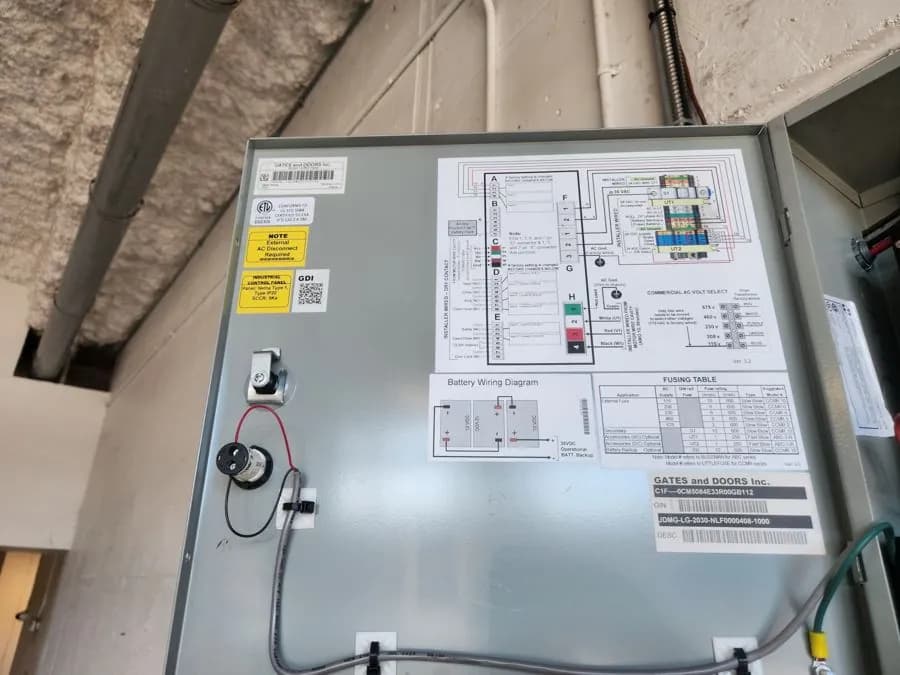
- LiftMaster Logic 5.0 (T, H, J, GH and related models): the manual’s timer-to-close requirements are at least one LiftMaster Monitored Entrapment Protection (LMEP) device installed, and the wiring type set to TS, T or FSTS. The manual says the primary monitored photo eye beam goes no higher than 6 in (15 cm) above the floor.
- LiftMaster MAXUM DC (JDC, JHDC, TDC): the factory default operation mode is C2 (constant pressure to close). B2/T and B2/TS add the timer. Without a monitored device, the manual says constant pressure to close is required from the wall control.
- Manaras BOARD 070: the spec sheet lists monitored external entrapment protection (ANSI/CAN/UL 325:2017 compliant) and operating modes selectable on site: C2, B2, D1, E2, T or TS. TTC runs in T and TS.
If your door only closes while someone holds the button, the monitored device is usually missing or faulted. Our LiftMaster hold-to-close article covers that. For the code background, see our UL 325 compliance guide.
T vs TS: the difference that matters after an obstruction
The two letters look similar. They behave very differently when something breaks the beam while the door is closing.
| Mode | After the safety device reverses the door | STOP button |
|---|---|---|
| LiftMaster Logic 5.0 T | Every open command except a sensing-edge input starts the timer again | Cancels the timer until the next command |
| LiftMaster Logic 5.0 TS (Timer Secure) | Tries to close from any position except fully closed, unless a safety input is active. Every opening device, including a reversing device, starts the timer | Does not disable the timer. A defeat switch is needed |
| MAXUM DC B2/T (one-time close) | TTC is disabled if the door reverses from an obstruction | Cancels TTC for that cycle |
| MAXUM DC B2/TS (Timer Secure) | TTC re-enables after the reversal to the open limit. The controller makes infinite attempts to close until it reaches the close limit | See manual. A timer defeat input stops TTC |
| Manaras BOARD 070 T | Door reverses and will not close by TTC. TTC resumes only after the door is fully closed | Stop before the time runs out also disables TTC |
| Manaras BOARD 070 TS | Door reverses and will close by TTC | A stop input resets the countdown |
Which one suits your building
The manuals describe the behaviour. Picking the mode for a commercial door timer to close is a judgement about how the door is used:
- Parkade and perimeter doors are usually about security, so a “secure” mode that keeps trying to close fits. That’s why it exists. Our parkade operator selection guide goes deeper.
- Dock and production doors often suit T. If a forklift or pallet trips the beam, the door gives up instead of cycling against a load that’s being worked.
- Doors with loop detectors: Manaras’s accessory catalogue lists loop detectors as a reverse and hold-open control for operators in B2, C2 or timer-to-close mode. A car sitting on the loop holds the door open.
Setting the delay
The delay is programmed on the board. It isn’t a dial on the wall:
- Logic 5.0: in programming, press and release OPEN for every second, and CLOSE for every 15 seconds you want.
- Manaras BOARD 070: factory preset of 5 seconds. Programmable in 1-second or 15-second steps, maximum 4 minutes. It closes from the fully open and mid-stop positions.
A parkade door that closes too fast gets hit. One that waits too long lets the next car in. We usually set the delay by watching traffic at the door, not from a table.
Pausing the timer for deliveries or moves
Moving days and long deliveries are when people start jamming the photo eye. Don’t. The operators have proper ways to hold the door open:
- Logic 5.0 T mode: STOP at the open position deactivates the timer until the next command.
- Logic 5.0 TS mode (and multi-cycle hold in T): a defeat switch wired to terminals 11 and 12 (COMMON and TIMER DEFEAT). A solid yellow Timer Defeat LED on the board means that circuit is closed and TTC won’t close the door. If a door “suddenly stopped auto-closing,” check that LED first.
- Manaras BOARD 070: a Timer-to-Close User Suspension feature lets staff suspend TTC from a wall push-button station, holding the door open for one cycle only.
Never tape over or re-aim a photo eye to hold a door open. On a monitored system the operator sees the fault and falls back to constant pressure. On an old non-monitored setup, you’ve just switched off the only thing stopping the door on a person or a car.
Warning lights and signage
The LiftMaster manuals we read don’t name a specific warning light or strobe as a TTC requirement. Manaras’s BOARD 070 sheet lists a Universal Auxiliary Output Module that can drive red and green warning lights, horns, air curtains and locks. On a busy parkade ramp or a dock with foot traffic, a light that changes before the door moves is worth it even when it isn’t required. Ask us to quote it with the TTC set-up.
When TTC “doesn’t work”
From the manuals, the common causes are:
- Wiring type isn’t set to T, TS or FSTS (Logic 5.0), or the board is in B2 or C2.
- No monitored device learned, or it is faulted.
- Timer defeat circuit closed (yellow LED on Logic 5.0).
- On Manaras T mode, the door reversed or the chain hoist was engaged. TTC waits for the next full close.
- Something keeps resetting the countdown: on Manaras boards, any radio, open, loop or power-outage input restarts it.
If none of those explain it, book an operator repair visit. For strata parkades we can review TTC as part of a parkade door service.
Questions property managers ask us
Can I add timer-to-close to any commercial door operator?
Only if the operator supports it and a monitored entrapment protection device is installed. LiftMaster’s Logic 5.0 manual requires at least one monitored device and the wiring type set to TS, T or FSTS. Manaras BOARD 070 runs TTC in T and TS modes.
What is the difference between T and TS mode?
It depends on the brand. On Manaras BOARD 070 in T mode, and MAXUM DC in B2/T, a door reversed by an obstruction will not auto-close by the timer again until the next cycle. TS, or Timer Secure, keeps trying to close. LiftMaster’s MAXUM DC manual says the controller will make infinite attempts to close until it reaches the close limit.
How long can the timer be set for?
On Manaras BOARD 070 the factory preset is 5 seconds, programmable in 1-second or 15-second steps up to 4 minutes. On LiftMaster Logic 5.0 you program it by pressing OPEN for each second and CLOSE for each 15 seconds.
How do I hold the door open for a delivery without blocking the photo eye?
Use the operator’s own hold feature: STOP in Logic 5.0 T mode, a timer defeat switch on terminals 11 and 12 for TS mode, or the user suspension feature from a wall station on Manaras BOARD 070.
Why did my door stop closing on its own?
Common causes in the manuals are a closed timer defeat circuit (solid yellow Timer Defeat LED on Logic 5.0), a missing or faulted monitored safety device, the wrong wiring mode, or on Manaras T mode a recent reversal or chain hoist use.
Book a look at your doors
Call (604) 206-5727 or use the contact page. We answer around the clock for commercial door failures. New commercial clients: 10% off labour on your first service call or repair. Mention NEW10 when booking (one per business, not combinable with maintenance-contract pricing, work booked by Dec 31, 2026).