Short answer. LiftMaster H hoist troubleshooting starts at the hoist interlock. If the disconnect chain is still locked in the wall keeper, the interlock cuts the controls and the Power LED on the Logic 5.0 board stays dark. Free the chain and check the LED. If that's not it, lock out power and look at the clutch and brake.
The H is LiftMaster's side mount hoist operator on the Logic 5.0 board. It looks a lot like the J. The difference is the manual chain hoist built into it, with an electrical interlock that shuts off the electric controls whenever the hoist is in use. That one feature drives most H service calls, so this LiftMaster H hoist troubleshooting page starts there.
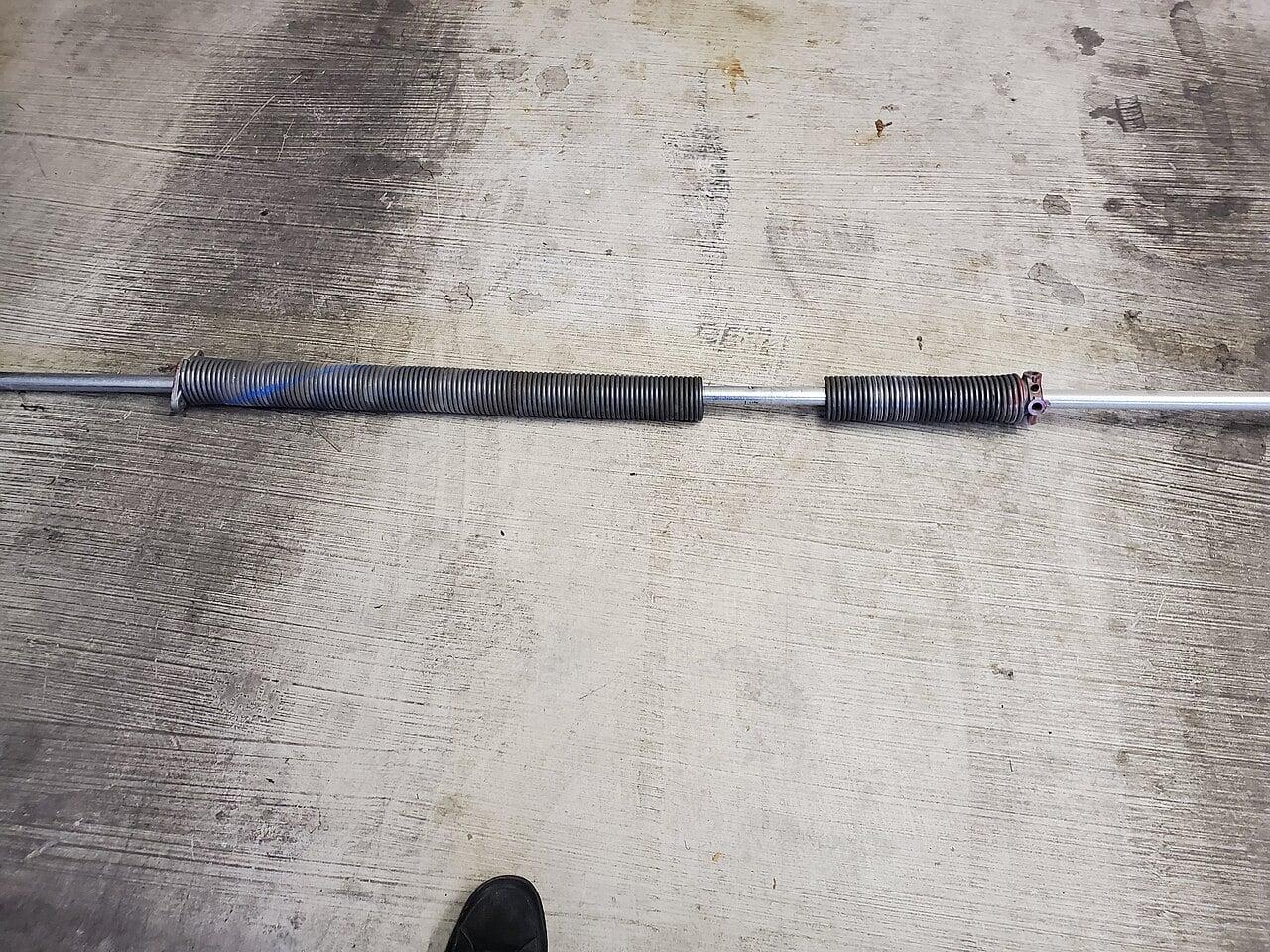
Lock out and tag the disconnect before opening the cover. The manual is plain about it. Disconnect and lock out power before any maintenance in the area of the operator. Never adjust door springs or cables yourself. They're under heavy tension and that work belongs to a trained door tech.
What the hoist interlock does
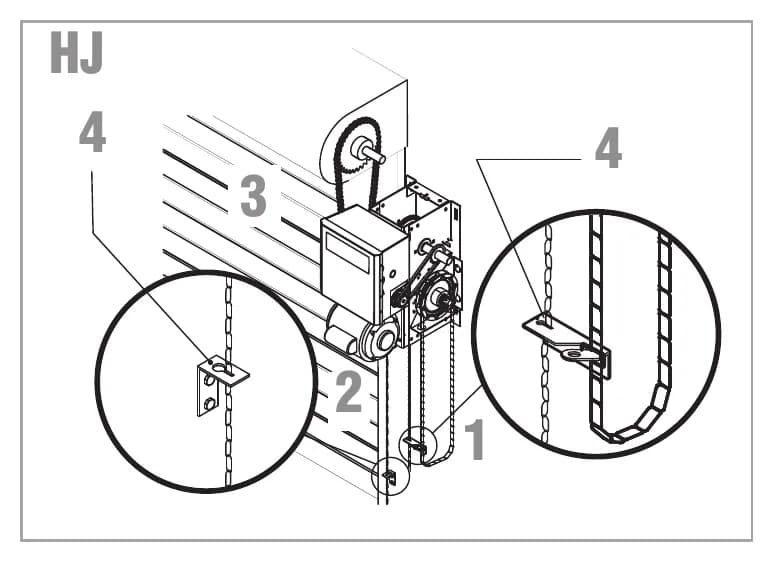
On the H and GH, pulling the disconnect chain (LiftMaster also calls it the sash chain) engages the hoist. You can lock that chain in place by slipping its end through the keyhole of the chain keeper on the wall. While the hoist is engaged, an electrical interlock disables the electrical controls. You then raise or lower the door by pulling one side or the other of the continuous loop hand chain.
The door will not run electrically again until the disconnect chain comes out of the keeper. That's the whole design. It stops the motor from fighting someone who is cranking the door by hand.
Dead operator, no Power LED
The Logic 5.0 troubleshooting chart lists two causes for a dark Power LED. One is loose secondary wiring or a faulty control transformer. The other is "Hoist interlock switch engaged". The fix printed for the second is to verify the manual release chain is not engaged.
So walk to the wall first. On an H, the chain left in the keeper after a power outage is the classic cause. Someone cranked the door open by hand and left the chain locked. Free it, and if the Power LED comes back you're done.
If the chain is free and the LED is still dark, check the interlock switch for continuity with power locked out. A switch that sticks open acts exactly like an engaged hoist. If the Stop LED is the one that's out, the chart points at the control station wiring or a bad interlock switch. More than one external interlock has to be wired in series. Full LED meanings are on the Logic 5.0 error codes page.
Hand chain on the wrong side
H and HJ units are handed at the time of order. The last letter of the model number is R or L, and it tells you which side the hand chain hangs. You can't flip it in the field like you can on smaller GH units. If the operator position leaves the hand chain hanging in the door opening, the manual says to hook the chain to the side near the top of the door jamb.
We see this after a door replacement where the opening changed and the old H went back up. A hand chain swinging in the opening gets caught by forklifts and pulls the hoist into the wrong state. Don't leave it there. Hook it off or reorder the correct hand.
Clutch and RPM sensor faults on the H
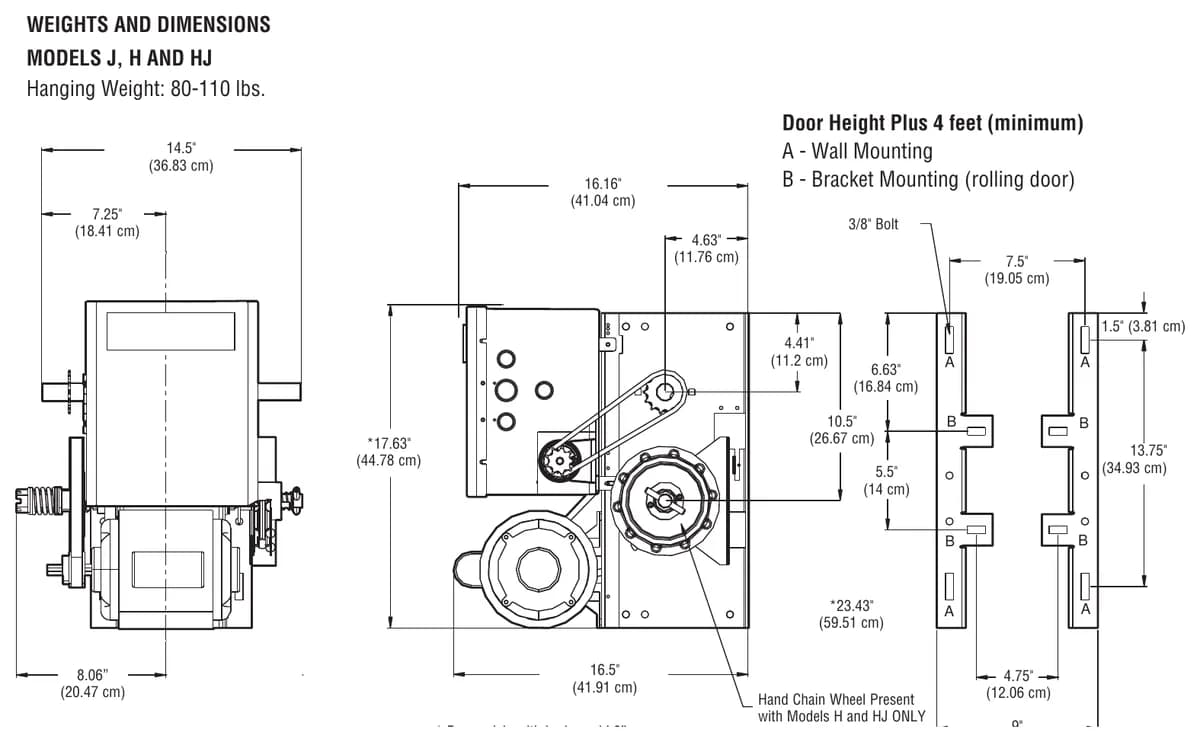
The H shares the J drive train. That means a 5L V-belt primary, a #48 chain secondary and #50 chain to the door. The belt is the clutch. If the door moves about a foot and stops, then only runs on constant pressure, the manual blames either the RPM sensor or a slipping clutch. The MAS LED will flash 2 blinks.
Adjust the clutch nut so the door runs smooth but slips when blocked, and secure it with the cotter pin. Never oil the belt or the clutch. If the H needs a tight clutch to lift the door at all, the door is out of balance. Get the springs looked at by a tech instead of cranking the nut down. That's our firm view on it.
Brake and drift
The brake on the H is standard on 3/4 and 1 HP units. It's optional on 1/2 HP and not offered at 1/3 HP. LiftMaster's maintenance chart says to inspect the solenoid brake pad. A worn pad lets a heavy rolling door creep down off the open limit. Check spring tension before blaming the brake, since a tired spring makes any brake look weak.
Bearings and lubrication
The H has industrial ball bearings on the output shaft and heavy duty oil filled bushings on the reduction shafts. LiftMaster calls for SAE 30 oil on the drive chain and the non motor bearings. Shafts get the same. Never grease, never silicone spray. Don't oil the motor either, since its bearings are rated for continuous duty.
Limits on a hoist
Limit nuts on the H are linear driven and adjust up to 24 feet of travel. The CLS and SLS LEDs light at the close limit, and OLS lights at the open limit. Step by step setting, along with the through wall motor direction jumper, is on the LiftMaster limit setting guide.
Power wiring problems
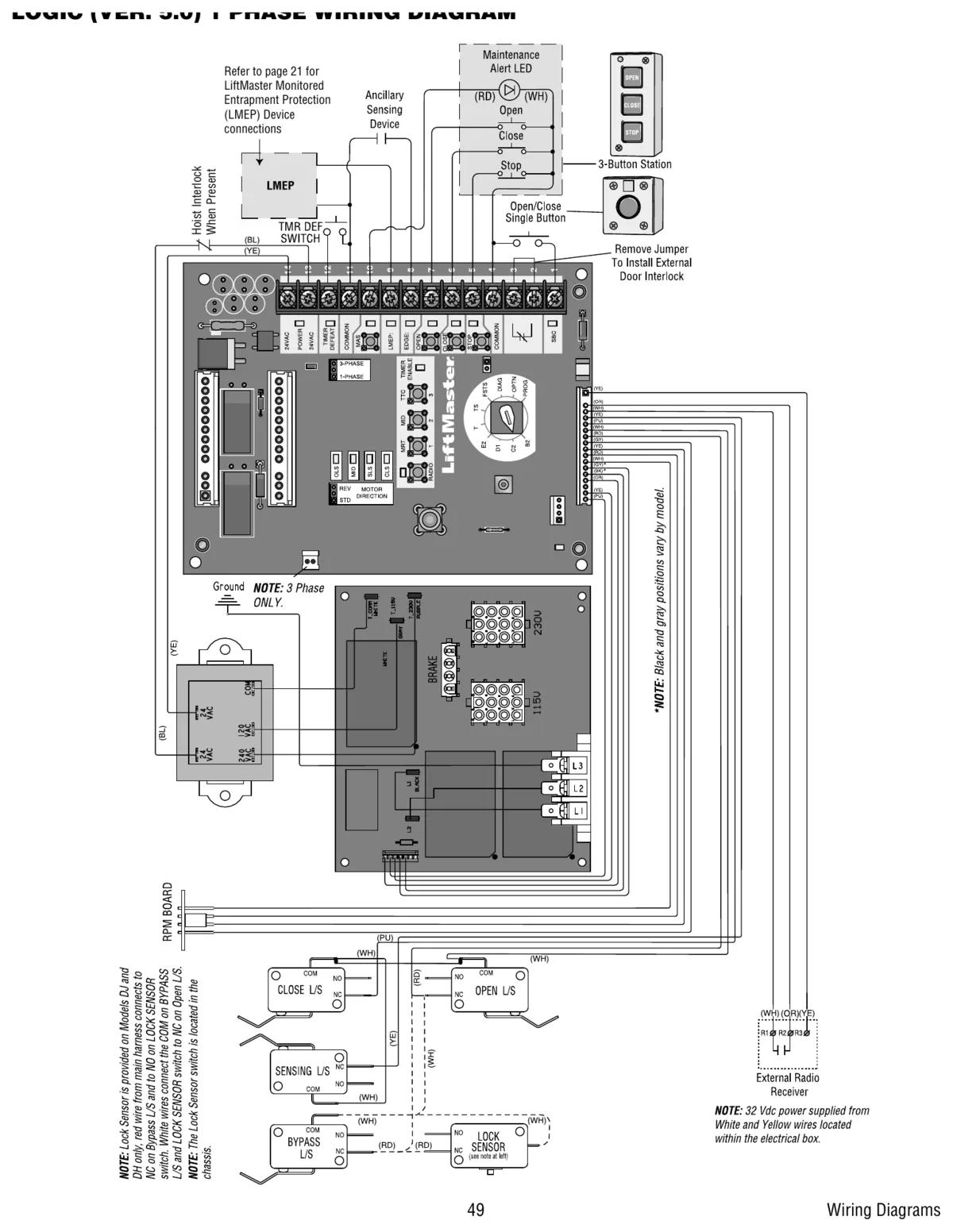
Three phase H units run backwards if the incoming phasing is wrong. The manual fix is to swap incoming leads L1 and L2. Logic 5.0 three phase boards also use a current sense harness. A 12 blink code means a current sense fault, so check that harness and cycle power. For long power runs, the manual's chart goes from 14 AWG at 50 feet up to 2 AWG at 1,000 feet. The terminals only take 12 AWG, so heavier wire has to be reduced down at the box.
Talk to a Richmond LiftMaster tech
CCGDS services LiftMaster hoists in warehouses and loading docks across Metro Vancouver. Call (604) 206-5727 any time. There's more on the H series model page, the GH gearhead troubleshooting page and the LiftMaster repair hub.