Short answer. LiftMaster limit setting on Logic 5.0 is mechanical. With power locked out and the door fully closed, press the retaining plate and turn the close limit nut. Then open the door and set the open nut. The CLS and SLS LEDs on the board confirm the close limit and OLS confirms the open limit. MAXUM DC uses electronic limits set from the wall controller instead.
Limits tell the operator where to stop. Set them wrong and the door bounces off the floor or stops a foot short. Worse, it drives the bottom section into the header. LiftMaster uses two very different systems across its commercial line. This LiftMaster limit setting page covers both, and why the run timer is part of the picture.
The manual's own warning heads the section. Disconnect electric power before performing any adjustments or maintenance. You'll be moving the door by hand or by hoist chain between steps. Lock out, keep the doorway clear and never stand under a partly open door.
Two limit systems
Logic 5.0 operators (T, APT, H, J, HJ, GH and GT) use linear driven limits with adjustable limit nuts, good for up to 24 feet of door travel. MAXUM DC operators use electronic limits. LiftMaster's 2025 comparison chart shows the medium duty units, such as the MJ and MH, on mechanical or rotary limits. The light duty LJ8900W and LJ8950W are electronic.
Setting Logic 5.0 limit nuts
- Start with the door fully closed to set the close limit.
- Press the retaining plate and move the limit nut to the close limit.
- Let the plate go and check that it seats fully in the notches of the limit nuts.
- Open the door fully and set the open limit nut the same way.
- Release the plate and check it's seated again.
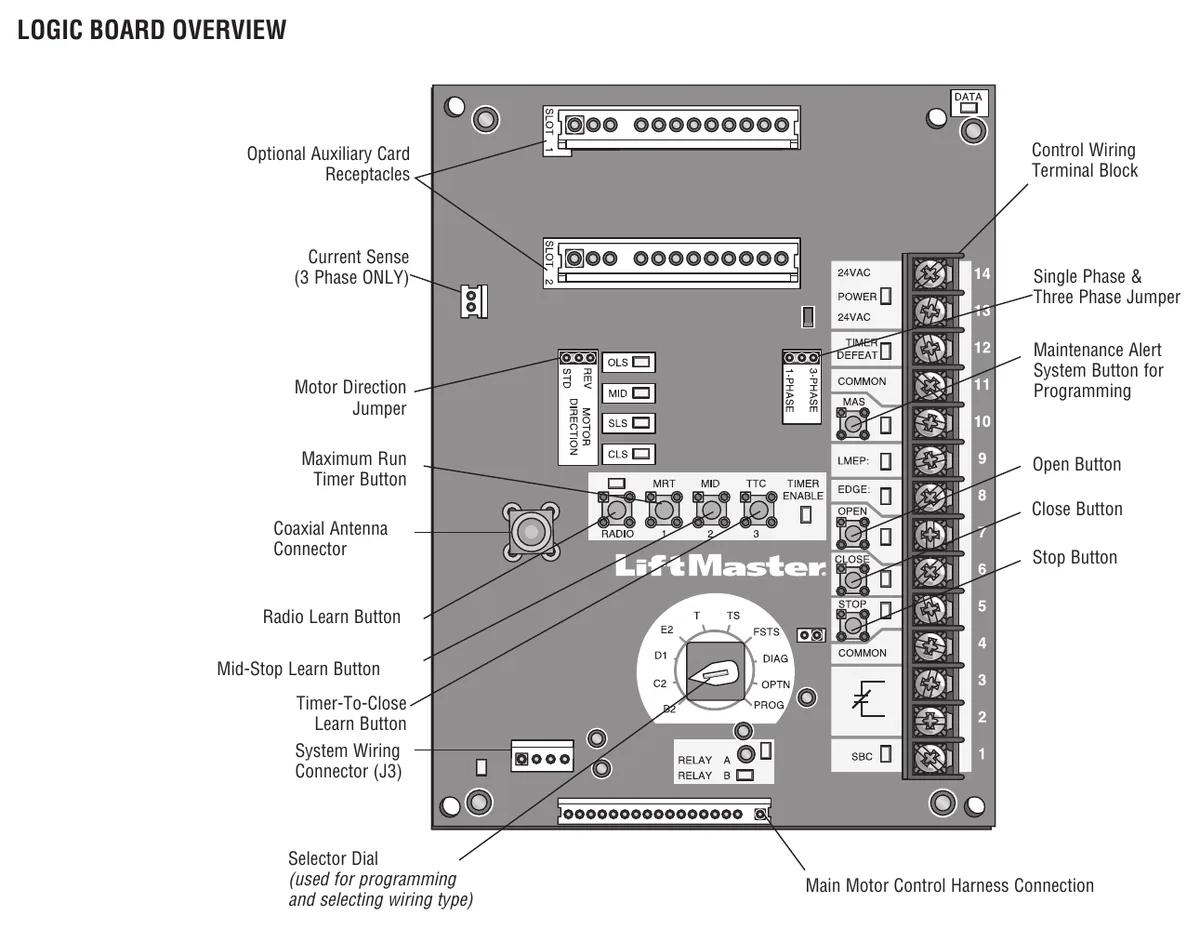
When the switches trip and power is on, the CLS (close limit switch) and SLS (sensing limit switch) LEDs light at the closed position. OLS lights at the open position. That makes a two person job one person. With the cover off and power on, you can watch the LEDs from the floor while the door is at the limit.
A retaining plate that isn't seated is the classic reason limits drift. The nuts walk on the shaft and the door creeps further each day. A rushed adjustment that leaves the plate riding on top of a notch will cost you a return trip.
Testing the limits
With the board in C2 (the factory default), press OPEN and let the door run fully open. Then hold CLOSE until it runs fully closed. If either end is wrong, lock out power and readjust. Travel should stop when the open or close limit trips.
If the door drifts after stopping, the manual says to check spring tension or add a brake. On Logic 5.0, the brake is standard above 1/2 HP. It can be added in the field on 1/3 and 1/2 HP units of the T, H, J, DJ, HJ and DHJ. Spring tension is a tech only check.
Through wall installs and motor direction
Some installs, like a through wall mount, need the motor and board rotation reversed. The manual gives three steps. Move the MOTOR DIRECTION jumper on the logic board from STD to REV. Move the sensing limit switch (SLS) to the opposite side. Swap the CLOSE and OPEN decal. Miss the SLS move and the board won't see the close limit where it expects it.
On a three phase unit running backwards from day one, that's phasing, not the jumper. Swap incoming L1 and L2 instead.
The maximum run timer
The Maximum Run Timer stops the operator if it doesn't reach a limit in time. Factory default is 90 seconds. The board can also learn the actual travel time plus 10 seconds. If the door runs most of the way and stops, and another command finishes the trip, the MRT is too short. The MAS LED shows 3 blinks.
To learn it, close the door and set the dial to PROG. Press and release MRT. Now press OPEN and wait for the door to reach the open limit. That's it. Turn the dial back to your wiring type. To reset it, hold MRT in PROG until the MAS LED flashes rapidly.
Relearn the MRT any time you move limits or change the sprocket. Skip it and you'll get the 3 blink call a week later.
MAXUM electronic limits
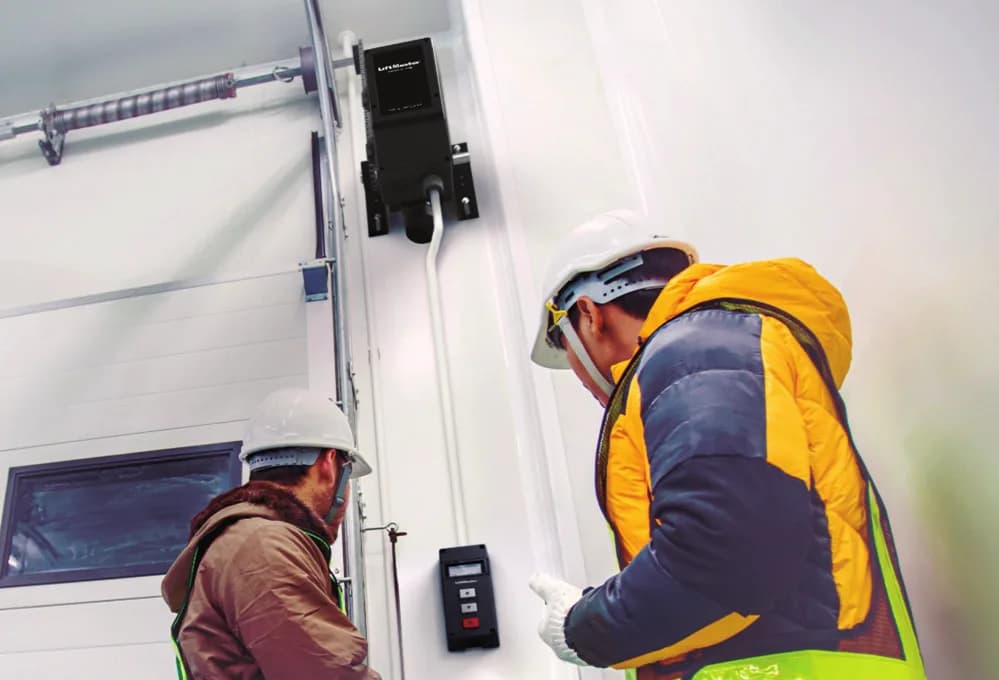
On MAXUM DC there's no limit nut to turn. Limits, along with other setup items, run through the DCWALLCTL floor level wall controller with its 4-line LCD. LiftMaster may lock speed settings behind a password, so get the code before you go. MAXUM fault finding is on the MAXUM DC troubleshooting guide.
Related reading
Our commercial limit switch guide explains limit switches across brands. The J series troubleshooting page and H series troubleshooting page cover the rest of those drives.
Book a limit adjustment
CCGDS sets limits on LiftMaster operators in Richmond and across Metro Vancouver. Call (604) 206-5727. More on the LiftMaster repair hub.