Short answer. LiftMaster timer to close on Logic 5.0 needs a learned monitored entrapment device and the dial set to T, TS or FSTS. To program it, close the door, set PROG, press TTC, press STOP to clear, then press OPEN once per second and CLOSE once per 15 seconds. Press TTC again to save. The mid-stop and maintenance alert are set from the same buttons.
Timer to close shuts the door on its own after a set time. LiftMaster's manual names apartment buildings and fire stations as typical uses. It's one of the most requested settings on a Logic 5.0 board and one of the easiest to get wrong. This LiftMaster timer to close page also gets into the mid-stop and car dealer mode, because they share the same buttons.
Lock out power before you open the box or touch the terminal strip. Programming needs power on, so keep your hands off the drive while the cover is off. Never let the door close itself until you've proven the photo eyes stop it.
Before you start
Timer to close needs at least one learned LiftMaster Monitored Entrapment Protection device. The wiring type has to be T, TS or FSTS. Every entrapment device must be clear before the timer will close the door. The differences between those three modes are on the wiring types page.
Method 1, by count
- Close the door.
- Turn the selector dial to PROG.
- Press and release TTC.
- Press and release STOP to clear the timer.
- Press OPEN once for every second of delay, and CLOSE once for every 15 seconds.
- Press TTC to save. The OPEN LED flashes once per second programmed and CLOSE once per 15 seconds.
- Set the dial to T, TS or FSTS.
LiftMaster's example is 70 seconds. That's CLOSE four times for 60 seconds, then OPEN ten times for 10 more.
Method 2, by example
- Close the door and set the dial to PROG.
- Hold TTC for 5 seconds until OPEN and OLS flash, then let go.
- Press OPEN and let the door reach full open or the mid-stop.
- Wait as long as you want the delay to be. The board counts from the moment the door stops.
- Press TTC, CLOSE or STOP to stop the count. The Timer Enable LED comes on.
- Set the dial back to T, TS or FSTS.
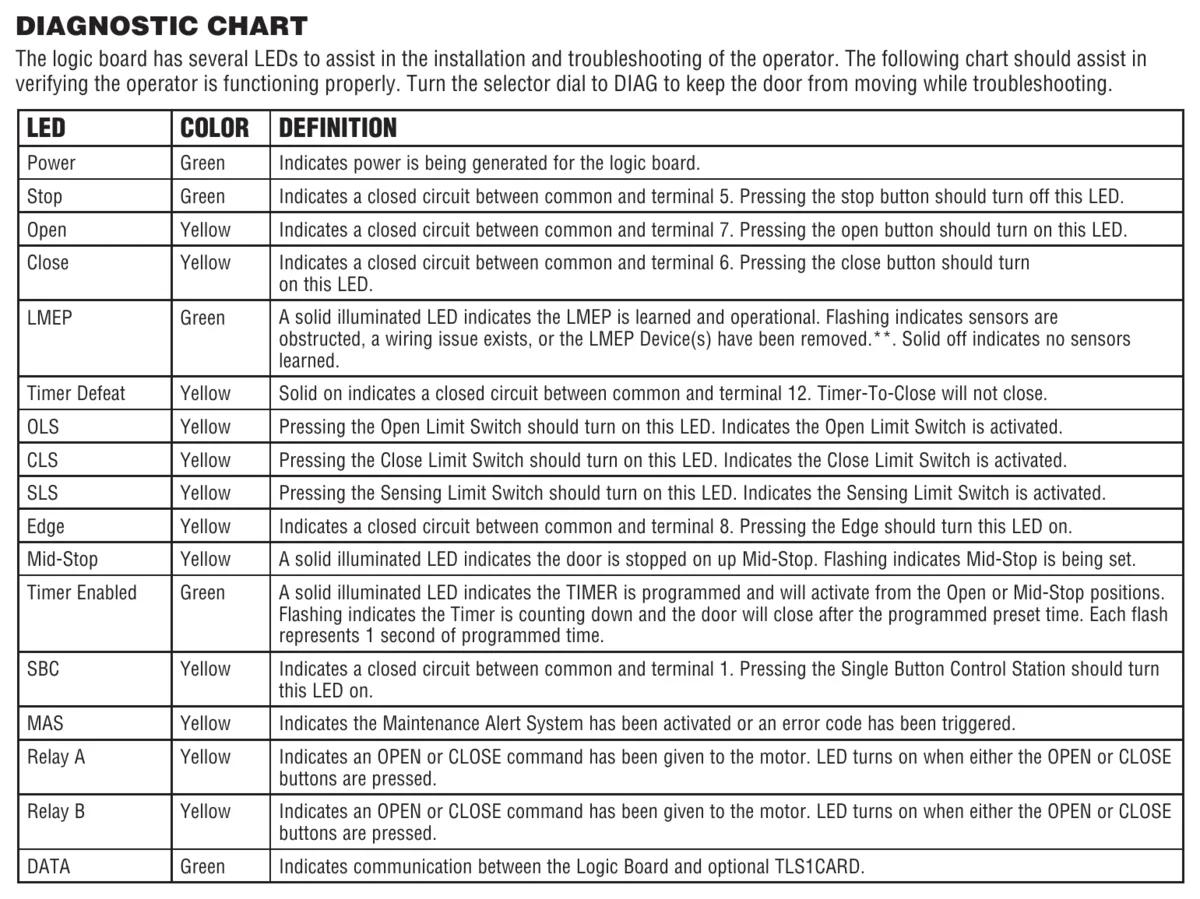
To read back the setting, turn the dial to DIAG and press TTC. While the timer counts down, the Timer Enabled LED flashes once per second.
Stopping the timer
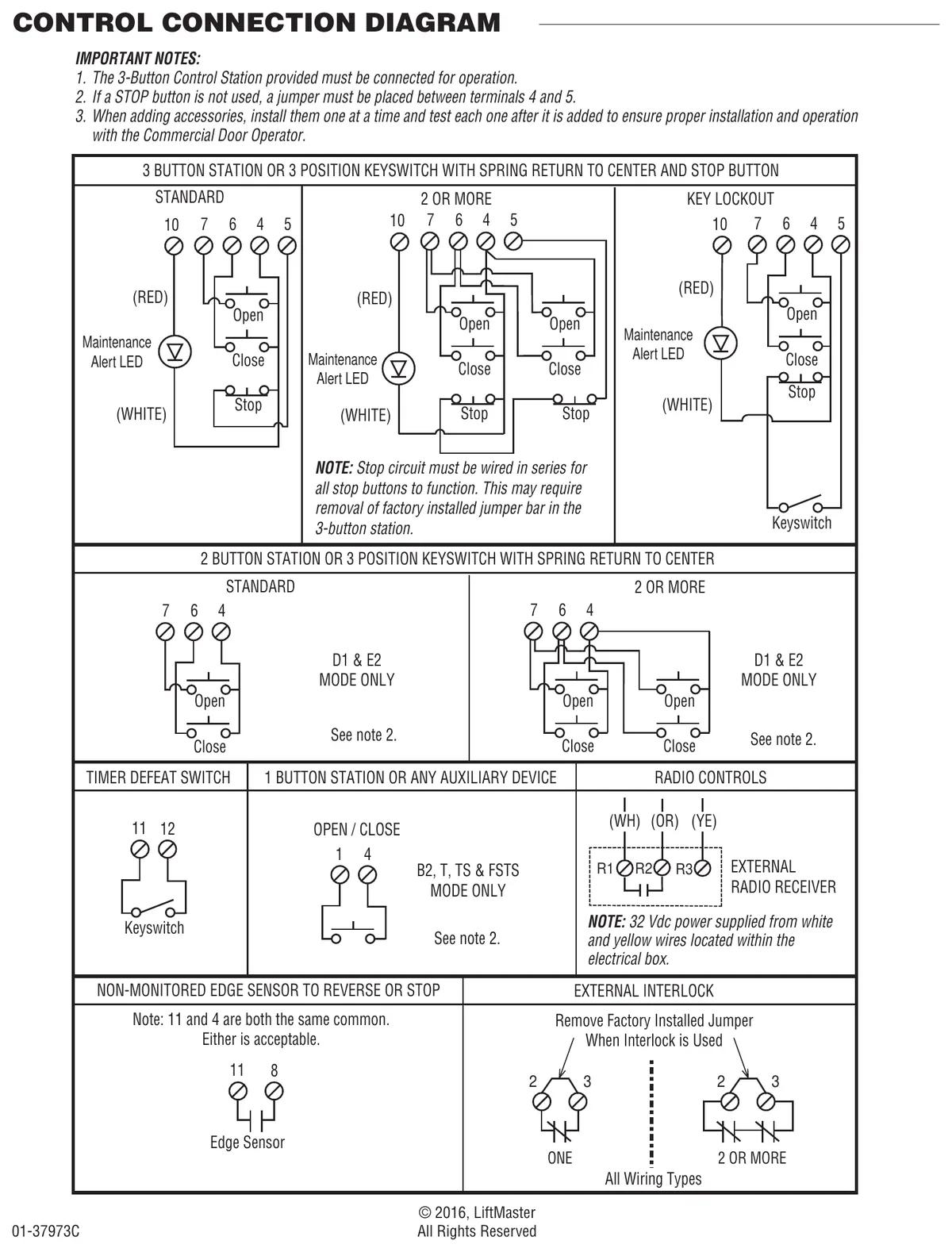
In T mode, pressing STOP at the open position cancels the timer until the next command. In TS mode, STOP won't cancel it. To hold a door open for longer in T or TS, wire a defeat switch to terminals 11 and 12, COMMON and TIMER DEFEAT. The Timer Defeat LED lights when that circuit is closed.
Our advice is to fit that defeat switch on any TS door where people work in the opening. A loading crew will prop the door with a pallet otherwise, and that's worse.
Open mid-stop
The mid-stop opens the door partway, to a set height short of fully open. LiftMaster says this cuts heating and cooling losses and means fewer full cycles on the door and operator. A momentary open from the mid-stop runs the door fully open. Timer to close works from the mid-stop. Once the door is at the mid-stop, a blocked eye won't push it any higher, except in E2.
To program it, close the door and set PROG. Press MID. Press OPEN, and press STOP when the door reaches the height you want. Press MID to save and set the dial back. To clear it, hold MID in PROG for 5 seconds until the MID LED flashes rapidly and goes off.
In FSTS, the single button control skips the mid-stop and goes all the way up.
Car dealer mode
Car dealer mode uses the SBC input to bring a closed door to the open mid-stop and hold it there, ignoring more SBC commands. A treadle or loop detector goes on SBC. An LMEP must be learned and the dial must be in T or TS. Program the mid-stop and the timer first. Then in PROG press TTC, then MID. The green timer LED flashes 6 times to show car dealer mode is on. Press TTC and return the dial. To turn it off, press TTC then MRT, and the LED flashes 3 times.
Maintenance alert counter
The MAS can flash the LED on the 3-button station when a set number of cycles or months has passed, whichever comes first. With the door closed and the dial in PROG, press MAS, press STOP to clear, then press OPEN once per 5,000 cycles and CLOSE once per 3 months. Press MAS to save.
LiftMaster's own example is a door with 30,000 cycle springs and a yearly service contract. That's OPEN six times and CLOSE four times. We'd set it on every door that has a service contract, since a flashing light gets a phone call that a sticker never does. A cycle counts each time the operator leaves the close limit. To read the life of operator odometer instead, see our Logic 5.0 cycle counter page.
Get it set up
CCGDS programs timers and mid-stops on LiftMaster operators across Metro Vancouver. Call (604) 206-5727. More on the LiftMaster repair hub and the hold to close page.