Short answer. Most LiftMaster J troubleshooting comes back to the drive, not the board. Start with the sash chain disconnect, because a chain left in the keyhole stops everything. A door that moves a foot and quits is usually the V-belt clutch slipping or the RPM sensor losing its signal. Lock out power first, then read the MAS LED blink count on the Logic 5.0 board.
The LiftMaster J is a side mounted jackshaft operator on the Logic 5.0 board. It drives the door shaft through a chain, so it lives on rolling steel doors and on sectional doors with vertical or high lift track. This LiftMaster J troubleshooting guide sticks to what the J does differently from the hoist and trolley models. Board codes and LED meanings sit on the Logic 5.0 error code page, so this page only points there when you need it.
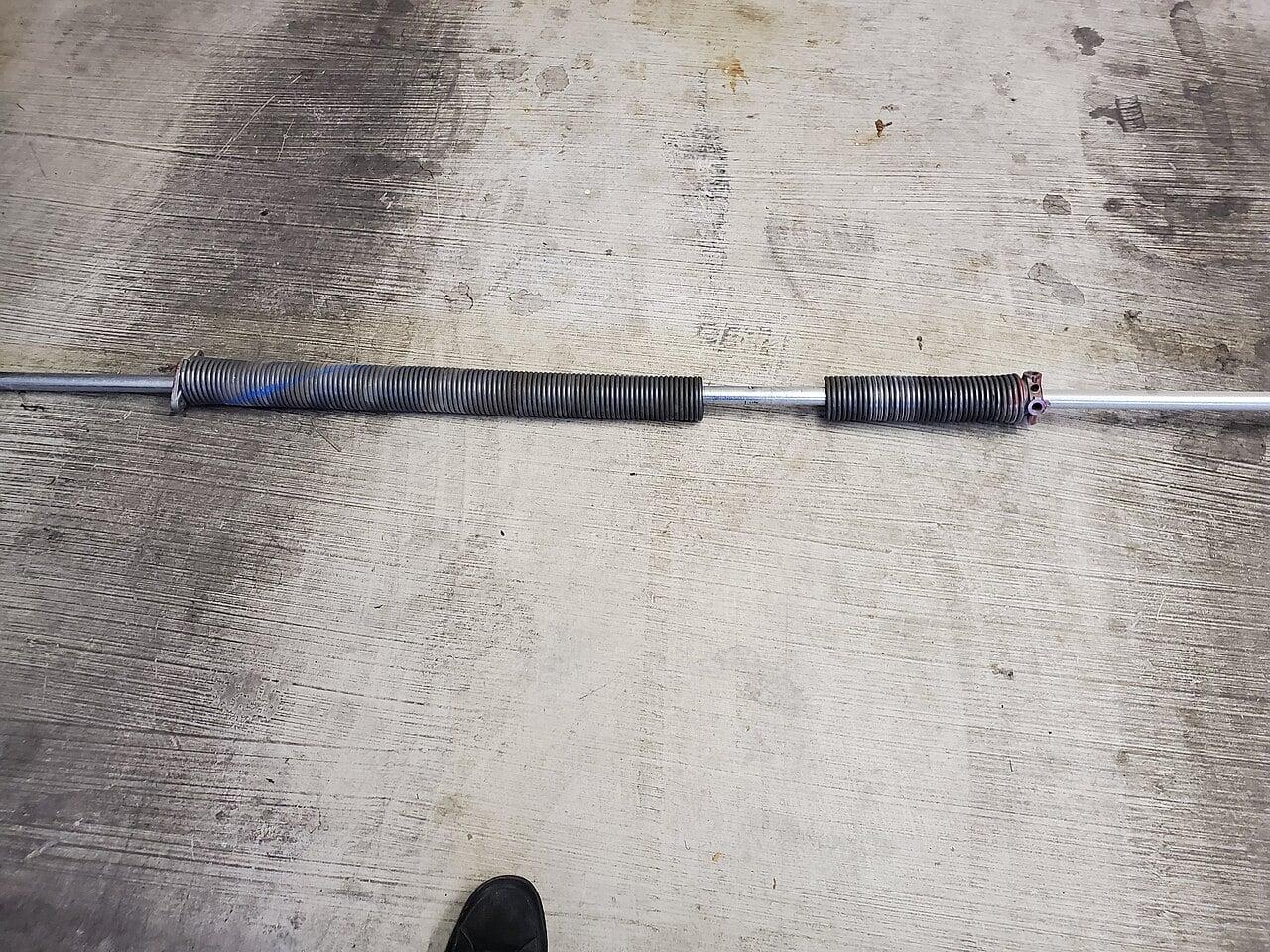
Before any of it, lock out the disconnect and tag it. LiftMaster's own manual says no maintenance near the operator until power is disconnected and locked out. Springs and cables on these doors are under full tension. If the door is out of balance, the operator is the wrong place to start. Spring work is for a trained tech only.
How the J drive train is put together
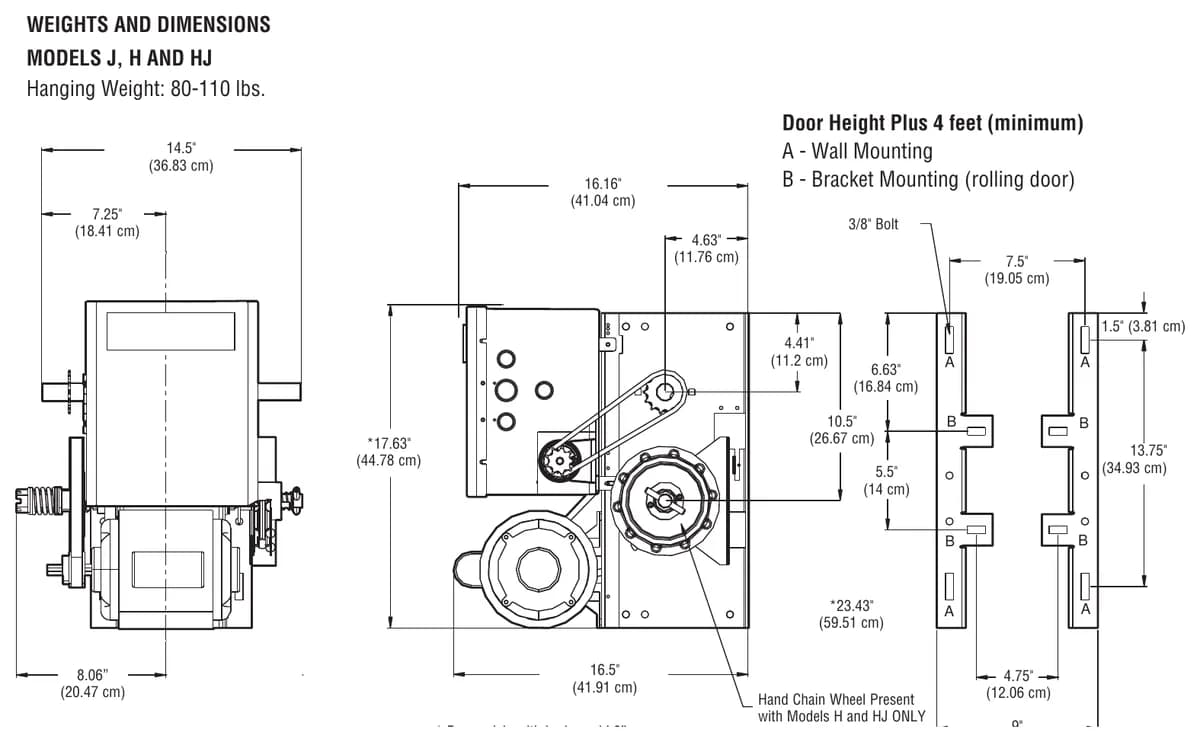
Knowing the drive stack makes the J easy to diagnose. Per the Logic 5.0 installation manual (document 01-37973C), the primary reduction on the J, H and HJ is a heavy duty 5L V-belt. The secondary is a #48 chain and sprocket. The output to the door shaft is #50 chain. Door speed runs about 8 to 9 inches per second depending on the door.
That V-belt is also the clutch. When a door binds or hits something, the belt slips on the clutch pulley instead of tearing the door apart. So a J that hums and the door barely moves usually has a clutch problem, a belt problem or a door problem. Very rarely is it the motor.
The output shaft is 1 inch on industrial ball bearings, with oil filled bushings on the reduction shafts. The J is rated for up to 25 cycles an hour and roughly 80 to 90 a day. If your dock door runs harder than that, the J is undersized and it will keep telling you so. That's when we start talking about the GH gearhead.
The door moves a foot and then stops
This is the most common J complaint we get. The manual lists two causes. Either the RPM sensor is not connected properly or is failing, or the clutch is slipping. After it stops, the operator will only move the door on constant pressure commands. On the board you'll see the MAS LED flashing 2 blinks.
Check the RPM sensor harness first. Make sure the interrupter cup actually turns while the operator runs and that nothing is jammed in the slot. If the sensor checks out, adjust the clutch. To relearn the RPM sensor, run the door with a constant pressure command and it stops once it has relearned.
Adjusting the V-belt clutch on a J
The clutch protects the door and the operator. It is not entrapment protection, and LiftMaster prints that in capitals. The adjustment from the manual goes like this. Pull the cotter pin from the clutch nut. Back the nut off to release tension. Snug it back up until there's just enough tension for the door to run smoothly but still slip if it's obstructed. Put the cotter pin back.
Do not oil the clutch or the V-belt. The maintenance chart is clear on that. Check the belt condition and tension at the same time. A glazed belt slips no matter where you set the nut.
Our honest opinion after a lot of these is that most "bad J operators" are a door that's out of balance. The installer cranked the clutch down to make up for it and the door ran fine until the springs got tired. If you have to over tighten the clutch to move the door, call for a spring check before you touch anything else.
Sash chain disconnect still engaged
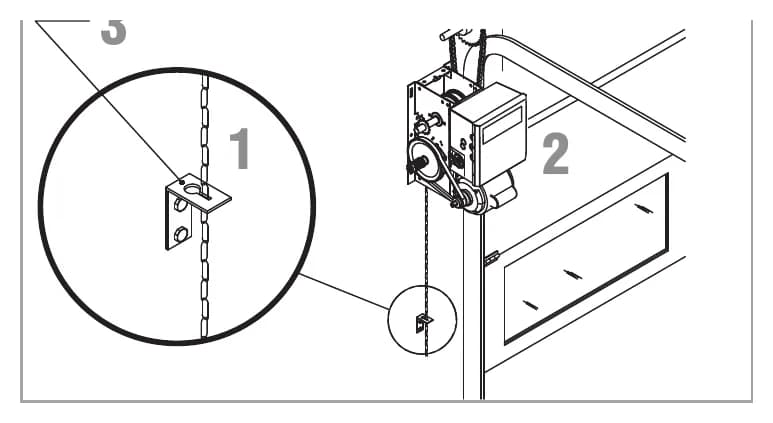
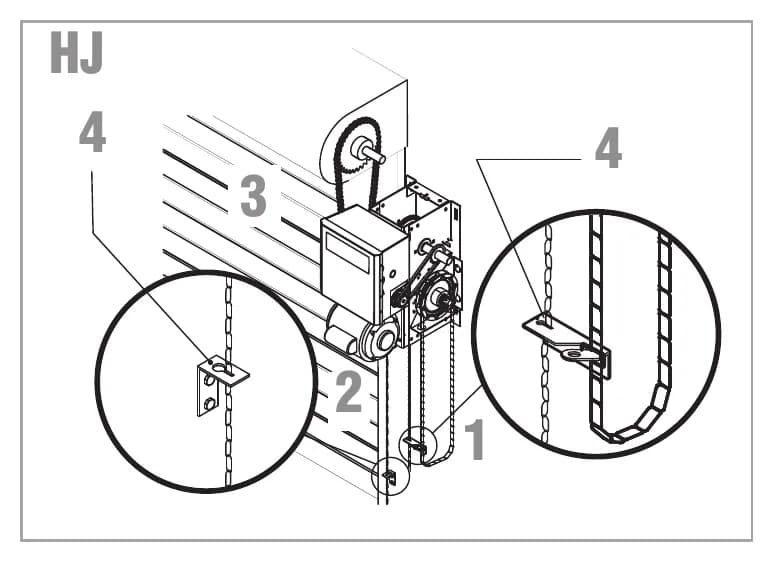
The J has a floor level disconnect. You pull the sash chain and hook the end through the keyhole bracket on the wall, and the door is free to push up or pull down by hand. Release the chain and the operator drives the door again.
After a power failure, a "dead" J is very often just a chain still sitting in that keyhole. Release it and try the 3-button station. The manual also says to mount the door retaining bracket 4 feet off the floor. If someone moved it higher, staff will stop using it properly.
The HJ has two chains, and people mix them up
The HJ includes both systems. One disconnect chain frees the door from the operator, and a second chain engages the hoist and kills the electrical controls through an interlock. If the HJ won't respond and the Power LED is out, the hoist interlock is the first suspect. Free the chain from the chain keeper and try again. The H series troubleshooting page goes deeper on the hoist interlock.
Sprockets walking on the shafts
A J sends its torque through set screws and keys on two sprockets. The manual calls for 34 to 45 inch pounds on the set screws and strongly recommends thread adhesive. Without it, vibration backs them off. The sprocket slides along the shaft and the chain starts riding off the teeth. By then the key is usually chewed up too.
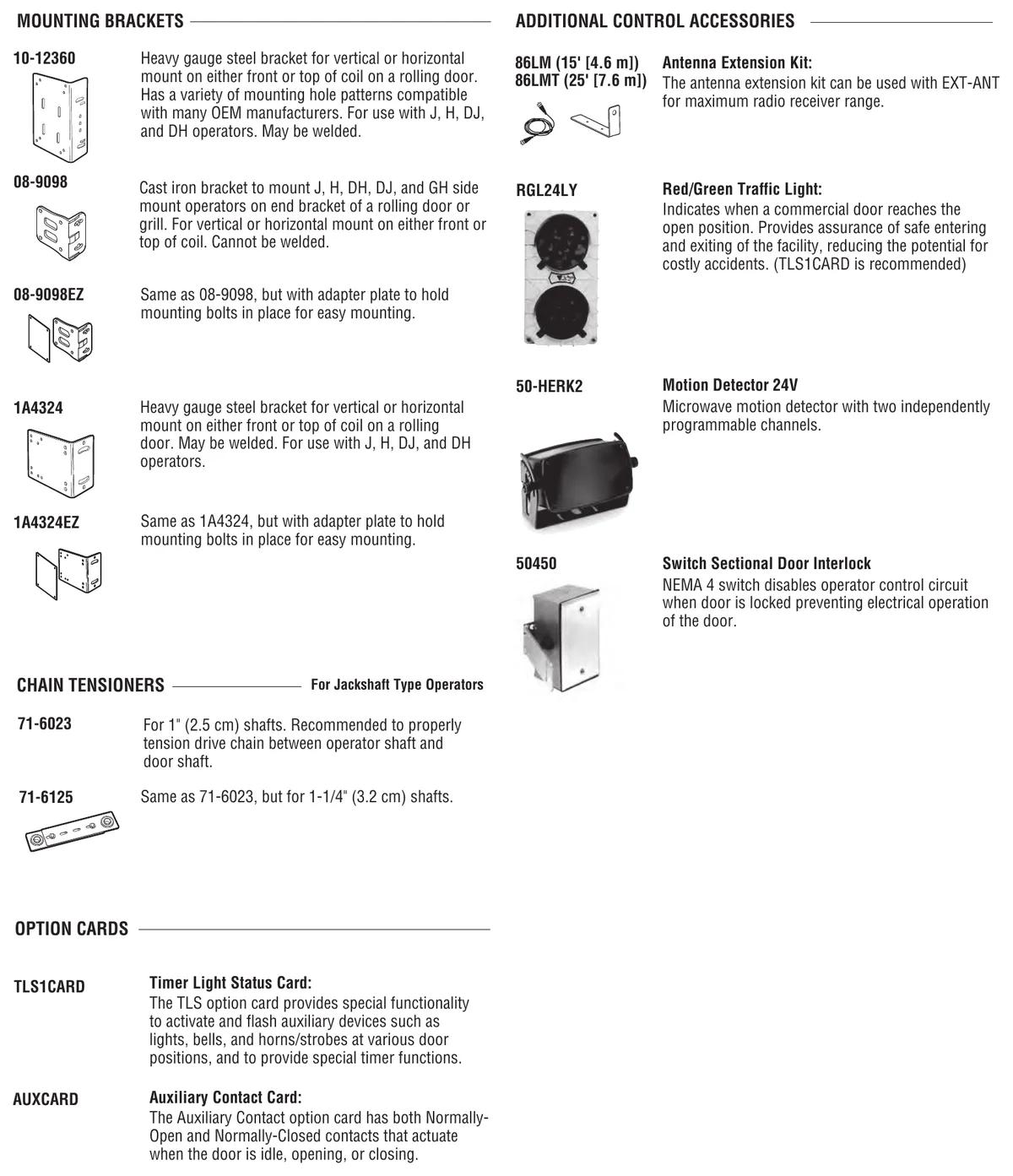
The manual also gives an ideal spacing of 12 to 15 inches between the door shaft and the operator drive shaft. Mount the drive sprocket as close to the middle of the exposed drive shaft as you can, to avoid an overhung load. On rolling doors, LiftMaster makes chain tensioners for jackshaft operators. The 71-6023 suits 1 inch shafts and the 71-6125 suits 1-1/4 inch shafts.
Door drifts after it stops
If the door creeps after hitting a limit, check spring tension first. Then look at the brake. On the J the brake comes standard at 3/4 and 1 HP. At 1/2 HP it's an option, and 1/3 HP units don't ship with one. The manual notes that a brake can be added in the field for 1/3 and 1/2 HP J units. A 1/3 HP J on a heavy door that drifts is a sizing conversation more than a repair. Limit nut adjustment lives on the LiftMaster limit setting guide.
Rolling door brackets
The J side mounts on a wall or a shelf. Rolling doors usually need a bracket. LiftMaster's 10-12360 is steel and can be welded. The 08-9098 is cast iron and can't be. There's also the 1A4324. EZ versions of the 08-9098 and 1A4324 come with an adapter plate that holds the bolts. A cracked cast bracket under a J is a mounting failure. Replace it before you start chasing operator faults.
When to call us
If you've released the disconnect, checked the board codes and the door still won't run, call CCGDS at (604) 206-5727. We're in Richmond and we work on LiftMaster commercial operators across Metro Vancouver, J units included. There's more on the LiftMaster repair hub and the J series model page.