Short answer. LiftMaster myQ setup depends on which board you have. A Logic 5.0 operator needs the 828LM Internet Gateway, paired at the logic board with the RADIO button inside a 3 minute window. MAXUM DC operators have Wi-Fi built in and connect to myQ Facility directly, with no hub. Erase all myQ devices on Logic 5.0 by pressing RADIO, then holding MAS for 5 seconds.
Phone control on a commercial door sounds simple until you're standing at the operator wondering where the learn button is. LiftMaster has two different paths here, and they don't overlap. This LiftMaster myQ setup page covers both, using the Logic 5.0 installation manual and LiftMaster's MAXUM product guide.
Lock out power to open the electrical box. You'll need power back on to pair, so keep clear of the chain and sprockets while the cover is off.
Logic 5.0 needs the 828LM gateway
The Logic 5.0 manual is direct about it. For smartphone app, tablet or PC control, the LiftMaster Internet Gateway, model 828LM, is required. The operator talks to the gateway over the same radio it uses for remotes, and the gateway talks to the internet.
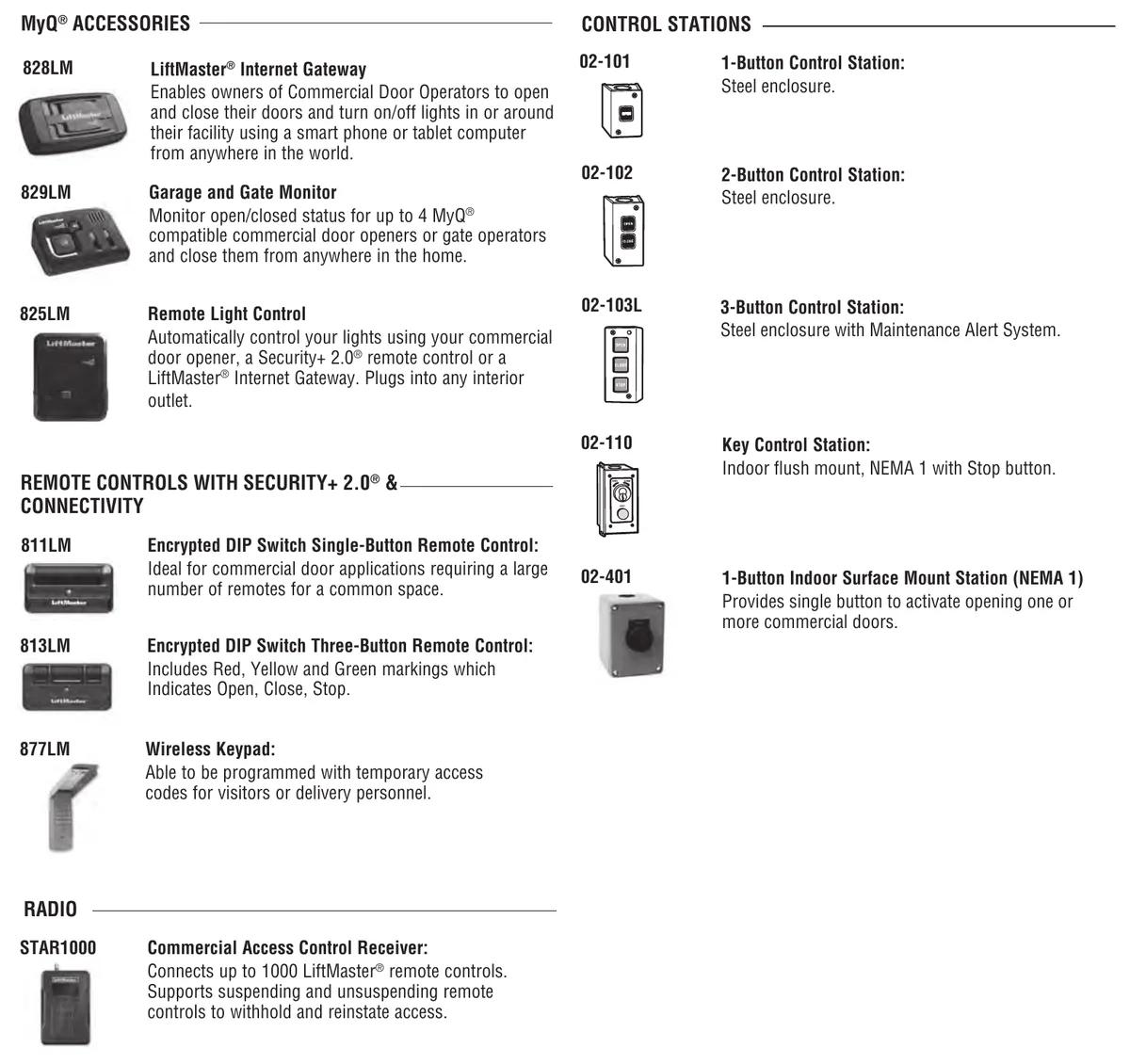
LiftMaster describes the 828LM as letting owners open and close commercial doors from a phone or tablet. It can switch lights in or around the building too. The 829LM Garage and Gate Monitor is a separate accessory. It shows open or closed status for up to 4 myQ compatible operators. The 825LM Remote Light Control plugs into an interior outlet and switches lights from the operator, a Security+ 2.0 remote or the gateway.
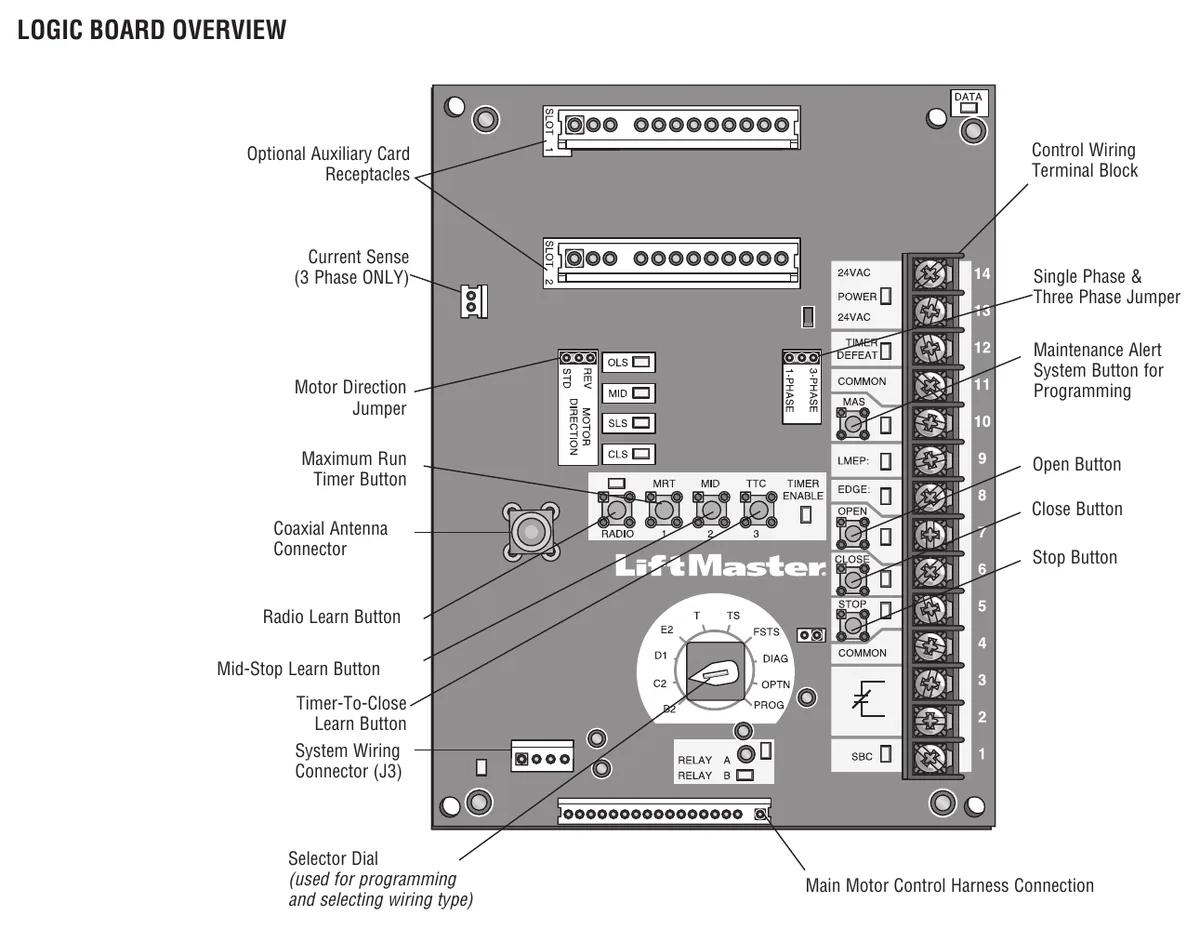
Pairing a myQ device to Logic 5.0
- Press and release RADIO on the logic board. The RADIO LED lights.
- Put the myQ device into learn mode, following that device's own instructions.
- When pairing completes, the RADIO LED turns off.
If it isn't done within 3 minutes, the board exits program mode and the RADIO LED goes out. Start again. Note that after a remote programming session times out at 30 seconds, the radio stays open for myQ devices for another 150 seconds. That's handy if you're doing remotes and the gateway in one visit.
Erasing myQ devices
- Press and release RADIO. The LED lights.
- Hold MAS for 5 seconds. The RADIO LED flashes for about 5 seconds and turns off.
All myQ devices are now erased. A factory reset from DIAG does not clear myQ devices, so use this procedure when a gateway is replaced or a tenant moves out. LiftMaster points to LiftMaster.com/MyQ-CDO for myQ troubleshooting on commercial door operators.
How myQ behaves in each wiring type
The wiring type changes what a tap in the app does. In C2, pressing the door image at the open limit closes the door to the close limit. Pressing it at the closed limit opens to the nearest open limit or mid-stop. The full response tables are in the manual for every mode. The modes themselves are on our Logic 5.0 wiring types page.
We won't set up phone control on a door that someone can close without seeing it unless a monitored photo eye is working and gets tested monthly. The entrapment protection guide shows how to check one.
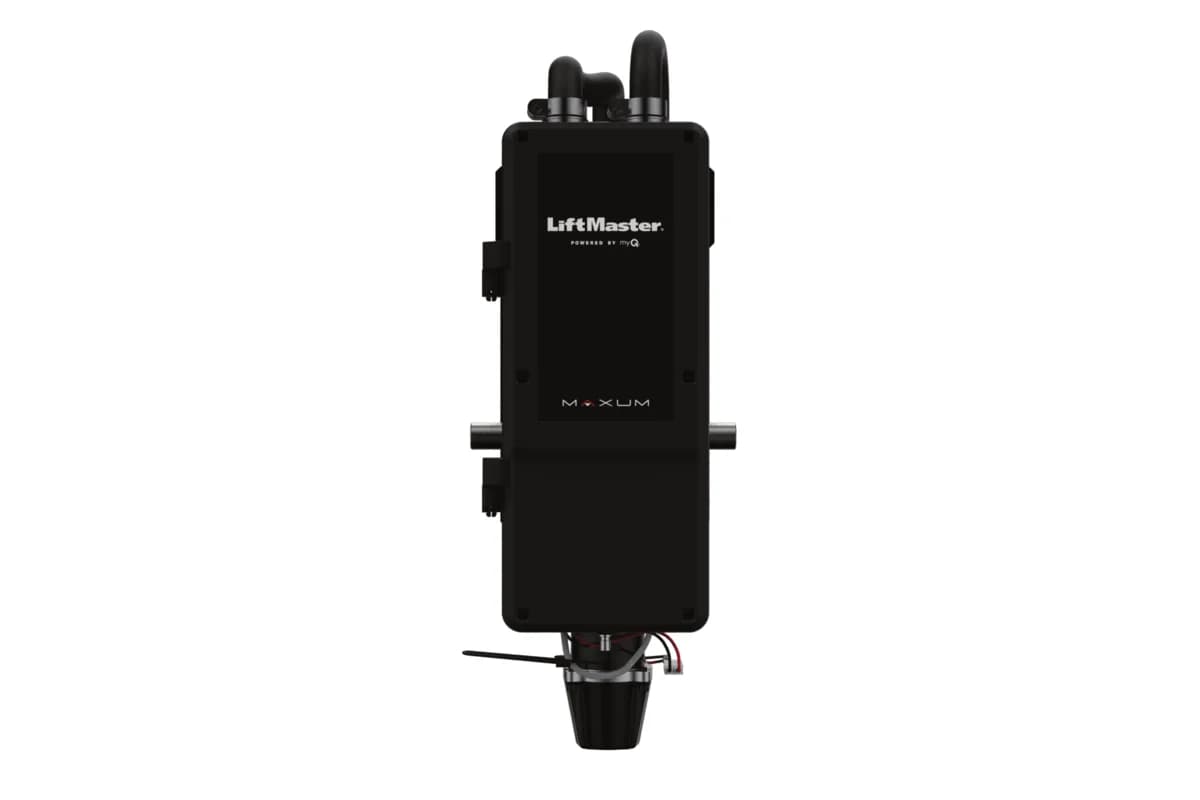
MAXUM DC has Wi-Fi built in
MAXUM DC operators (JDC, RJDC, JHDC and TDC) connect to myQ Facility over Wi-Fi with no extra hub or accessory. LiftMaster's product guide lists door monitoring and control through myQ Facility. It also shows error codes and both absolute and service cycle counts. When linked with access control, it can manage up to 1,000 learned transmitters tied to specific people. That needs a cellular data or Wi-Fi connection.
The comparison chart shows MAXUM can be set up for either myQ or myQ Facility. The myQ Commercial Gateway (MYQCOMM) is a cellular router, and LiftMaster lists it for the US only. Don't plan a BC job around it.
Help with setup
CCGDS sets up myQ on LiftMaster commercial operators across Metro Vancouver. Call (604) 206-5727. See the remote programming guide and the MAXUM DC overview. Everything else is on the LiftMaster repair hub.